
News
Why Website Speed Is Important for SEO and How to Make It Better

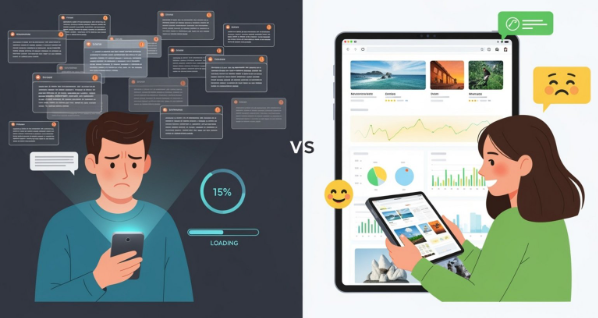
Website speed is a key factor for having a successful online presence. It directly affects user experience and your position in search engine results. People now expect sites to load quickly, and search engines like Google want to provide fast answers.
If your site loads slowly, visitors may get annoyed and leave, and search engines may lower your ranking. This can increase your bounce rate, lower your sales, and cause your site to show up less in searches.
For any business that wants to succeed online, speeding up their website is necessary. If you want to grow your website, focusing on effective SEO services that include speed optimization is a smart move.
Heading into 2025, website speed is more important than ever, especially with AI Overviews (AIOs) and constant changes in how search engines work. A site that loads fast creates a positive experience for users, which Google now treats as a main ranking factor. On the other hand, slow sites often get ranked lower and lose out on traffic.
In this guide, we’ll explain how website speed works, how it influences SEO and visitor actions, and offer practical ways to help your site load faster and run smoother.
What Is Website Speed?
Website speed, also called website performance, measures how quickly a webpage appears and becomes usable in your browser. It’s not just about seeing the first piece of content, but about the whole process-from first request to a fully working page. This means every part, including text, images, scripts, and videos, must load and work properly.
People notice speed differently. Even a tiny delay can make users leave. If a page takes longer than three seconds, many users will click away. This fact shows how much website speed matters for a user’s first impression and overall experience with a brand.
Page Speed vs. Site Speed
People sometimes mix up “page speed” and “site speed,” but they aren’t quite the same. Knowing the difference can help you improve your site.
Page speed is about how fast a single page loads. It’s the time from clicking a link to seeing everything on that page, including images, scripts, and videos. Things that slow it down include big images, lots of scripts, or heavy use of video on that one page. Page speed is very important for high-traffic or landing pages.
Site speed is the average load time for a set of pages across the whole site. It covers the overall design, hosting quality, and how all pages work together. Site speed gives a general idea of what visitors experience and is important for your SEO across the site.
Important Website Speed Metrics
There isn’t just one number that tells you if your site is fast. There are several important metrics that measure different parts of the loading process:
- Time to First Byte (TTFB): Time from clicking a link to receiving the first piece of info from the server. High numbers can mean server problems.
- First Contentful Paint (FCP): How long it takes for the first bit of content (like text or an image) to show up.
- Largest Contentful Paint (LCP): Time for the biggest visible content (like a main image or heading) to finish loading. Google suggests less than 2.5 seconds.
- Time to Interactive (TTI): How long it takes before the page can respond to user input without delay.
- Cumulative Layout Shift (CLS): Measures if items on the page “jump” around as it loads. Lower is better; high scores are bad for users.
- Interaction to Next Paint (INP): Replaces the “First Input Delay” metric. Checks how fast interactive elements respond during the full visit.
- Load Time: Total time for everything to finish loading. Not a Core Web Vital, but still important for the big picture.
Reviewing these numbers can help you find slow spots and decide what needs fixing.
Why Does Website Speed Matter for SEO?
Fast website speed and SEO go hand in hand. Years ago, speed was just a small part of SEO, but it’s now a main factor. Google rewards fast sites because it helps users, and slow sites can damage your visibility.
Speed also influences bounce rate and engagement. In a crowded space where lots of sites offer good content, the fast one is most likely to earn a higher ranking.
How Speed Affects Search Rankings
Website speed has affected search results since 2010, when Google said it was including speed as a ranking signal. The logic was clear: slow sites keep visitors away, so Google doesn’t want to show those first.
Speed became even more important with mobile use. In 2018, Google made speed a factor for mobile results, and in 2021 Core Web Vitals (LCP, CLS, and now INP) joined the official ranking factors list. Sites are checked mobile-first, so fast mobile pages are now a must. When several pages are equally good in content, Google will pick the one that loads faster as the winner.
Speed and Other Ranking Factors
Website speed is strongly connected to Google’s ranking factors, especially the Core Web Vitals. If your pages meet the “Good” benchmarks, Google sees your site as better for users. Bad scores can lower your ranking-especially for sites in tough areas.
Google’s algorithms also track bounce rate and time spent on site. If users leave because of slow loading, Google may take that as a bad sign and rank you lower. If your site is fast, users are more likely to stay, browse more, and send positive signals to search engines.
Speed is just part of Google’s larger measure called “Page Experience,” which includes mobile-friendliness, security (HTTPS), and safe browsing. Speed is a big chunk of this, and it’s a big reason Google gives your site a better spot in search results.
Speed and Search Engine Crawling
Website speed isn’t just about users-it also impacts how search bots (like Googlebot) crawl your site. Search engines have a “crawl budget,” or a set amount of time and pages they’ll check each visit. Slow pages eat up that budget, which means search bots might not reach all your important content. A slow site could be missing updates or new pages in Google’s index.
Speeding up your site allows search engines to check more pages and find new updates faster, boosting your visibility and keeping your content fresh in search results. In short, a fast site helps both your users and the bots that index your site.
How Website Speed Impacts User Experience and Conversions
Website speed is at the heart of good user experience. If your site loads slowly, people leave. And if they leave, they don’t become customers or subscribers. In today’s world, people are impatient, and a slow site means lost chances and less money.
If a website keeps people waiting, they get annoyed. Studies show people won’t wait more than a few seconds before leaving, which raises your bounce rate and lowers engagement.
Bounce Rate and Engagement
Slow pages almost always mean more people leave after visiting just one page. Bounce rate is the percent of visitors who don’t go past the first page.
A delay of just one to three seconds can cause the bounce rate to go up by 32%. Five seconds? That could mean a 90% bounce rate. Every extra second makes things worse. High bounce rates hurt engagement and the way people view your brand. Fast sites keep visitors active and clicking around.
Conversions and Sales
Slow sites don’t just annoy users-they can hurt your sales. Whether you want users to buy something or fill out a form, longer waits mean fewer people do it. Even a short improvement can make a big difference.
For example, Mobify found that improving their homepage load by 100 milliseconds increased conversions by over 1%. AutoAnything increased sales by 12-13% after making pages load faster. Walmart made one second’s improvement and conversions grew by 2%.
If your online store earns $50,000 a day, a one-second delay could cost over a million dollars a year. Improving speed is a direct way to boost sales and grow your business.
The Importance of Mobile Speed
Mobile users expect sites to load even faster than on desktop, but many mobile pages actually load slower. And since Google mainly checks the mobile version of your site, making it fast on phones and tablets is not an option-it’s mandatory.
Sites that ignore mobile speed are risking user drop-offs and lower conversions. A smooth, speedy mobile experience keeps people on your site longer and more likely to take action.
How Fast Should a Website Be for Better SEO?
Everyone knows faster is better, but what’s the actual target? The best load times depend on your type of site and audience, but Google does give guidelines all sites should aim for. Users don’t need every piece to load before they can use your site. Focus on making the key content visible and ready quickly, especially the Largest Contentful Paint (LCP).
Industry Speed Benchmarks
Most experts say a good goal is under 2 seconds for page loading. For Google’s key metrics:
- Largest Contentful Paint (LCP): Under 2.5 seconds
- Interaction to Next Paint (INP): 200 milliseconds or less
- Cumulative Layout Shift (CLS): No higher than 0.1
While many sites don’t reach these goals, aiming for them will improve user experience and SEO. Even tiny changes-sometimes just faster by 100ms-can mean more sales and happier visitors.
Mobile vs. Desktop Speed
Mobile users have little patience and might have slower networks, so your site needs to be quicker on phones and tablets. Even if the desktop version loads in 2-3 seconds, work to make mobile pages even faster. Most traffic comes from mobile, so focus your energy there to see the best results.
Acceptable Page Speed Scores
Tools like Google PageSpeed Insights rate your pages from 0 to 100. Scores over 90 are “Good,” 50-89 need work, and under 50 are “Poor.” Aiming for “Good” is wise, but you don’t need a perfect 100 to rank well, especially if your content is the best out there. Still, a higher score (especially for Core Web Vitals) gives you an edge.
What Causes a Slow Website?
Before speeding things up, you need to know what’s slowing your site down. Many things-from the size of the files to the power of the hosting-can cause delays. Most issues can be fixed once you spot them. Here are some of the main causes:
Page Weight and Asset Optimization
Bigger pages take longer to load. Main things that make a page heavy:
- Large images: Uncompressed or high-res images
- Videos: Especially those not set up properly
- Big CSS and JavaScript files: Too many styles and scripts
- Custom fonts: Using too many or loading them inefficiently
Modern web design often adds features that make pages heavier. Using compression, resizing, and only loading what you need can help keep things light.
Code Quality and Minification
Your website’s code (HTML, CSS, and JavaScript) can slow things down if it’s messy or filled with unused parts. Problems include:
- Unused scripts or styles
- Too many inline styles
- Duplicate or extra blocks of code
Minifying code removes empty spaces, comments, and other extras. Combining files also helps by reducing how many times the browser needs to ask the server for more info.
Server Power and Hosting
Even a well-made site will be slow if the server is weak or crowded. Causes include:
- Shared hosting: Your site shares server space with many others
- Not enough server resources: Too little power for busy or complex sites
- Poor server setup: Outdated software or missing caching
Switching to a VPS, dedicated server, or cloud hosting can greatly improve your site’s speed.
Network and Physical Location
Your server’s location and user’s internet speed affect load times. You can’t control everyone’s connection, but you can use a CDN to put your content closer to users around the world.
- Long distances mean longer waits
- User’s Wi-Fi or phone network speed matters
Third-party Scripts and Plugins
Extra scripts and plugins (like ads, analytics, or social media buttons) slow your site down, especially if lots are loaded at once or aren’t coded well. Reviewing and removing extras will help.
Redirects and HTTP Requests
Every file (image, script, etc.) means another request. More requests = slower site. Too many redirects also add extra steps and slow things down, especially chains of redirects. Cutting these down speeds things up.
How to Test Your Website’s Speed
To make your site faster, first measure how it’s doing now and figure out where it’s slow. Many free tools are available for this job. Testing and checking often is important because websites change and what worked last month might not work now.
Best Tools for Speed Testing
- Google PageSpeed Insights: Checks mobile and desktop performance, gives a 0-100 score, and suggests fixes.
- Google Lighthouse: Built into Chrome DevTools, provides full reports on speed, SEO, accessibility, and more.
- Semrush Site Audit: Scans all your pages, not just one, for performance and other SEO issues.
- Cloudflare Website Speed Test: Finds which website parts are slowest and gives specific numbers.
- BrowserStack SpeedLab: Tests your site on real devices and browsers for more accurate results.
- Experte Bulk Page Speed Test: Checks several pages at once and lists key metrics like TTFB and FCP.
Use more than one tool to get a better view of your site’s issues.
How to Read Core Web Vitals Scores
- LCP: Big images or headings above the fold are slowing you down? Compress or resize them to get this number under 2.5 seconds.
- INP: Long waits when clicking or tapping? Trim down JavaScript and third-party scripts.
- CLS: Buttons or images moving while loading? Set fixed sizes and order content cleanup to keep this metric low.
Check tool reports for targeted advice on what’s slowing you down and tackle these issues first.
Ways to Make Your Website Faster
After checking your current speed and spotting problems, work through these steps to fix them. Every part counts, from image sizes to server setups.
Image Optimization
Large, heavy images often slow websites the most. Fix this by:
- Compressing images: Tools like TinyPNG or ImageOptim cut file sizes down.
- Resizing: Only use the size needed, don’t load huge images for small displays.
- Responsive images: Use `srcset` and `sizes` to send the right image for each screen.
Compress images before adding to your site for the biggest gains.
Use New Image Formats
Try WebP instead of JPEG or PNG, since it offers smaller file sizes with similar quality. Most browsers support WebP, but keep older formats as backups for full coverage.
Lazy Loading
With lazy loading, images and videos won’t load until a user scrolls to them. This means faster loading upfront and less bandwidth used, especially on media-heavy pages.
Minify Code
Take out extra spaces, comments, and unused code in CSS, JavaScript, and HTML. Minifiers and some plugins can do this automatically. Combine files when possible to cut down on requests.
Enable Caching
Make browsers and servers save files so repeat visitors don’t need to download everything again. Browser caching helps regular users see your site instantly. Server caching lets repeated queries load much faster and helps with high visitor numbers.
Use a CDN
A Content Delivery Network stores copies of your files on servers around the globe. This means users get your site from a local server, not one far away. It’s especially helpful for international audiences.
Cut Down on Third-party Scripts
Remove scripts and plugins you don’t need. For the rest, delay their loading or load them “asynchronously” so they don’t stop your main content from appearing.
Reduce Redirects
Every redirect adds an extra step. Fix old links and use direct paths whenever possible.
Upgrade Hosting
If your traffic is going up, or you notice slowdowns during busy times, move from shared hosting to VPS, dedicated, or cloud hosting. More resources mean faster, more reliable performance.
Keep Monitoring Speed
Check your site speed regularly as you add content or features. Use the tools listed above often and pay attention to Core Web Vitals trends. Fast performance should be an ongoing goal, not a one-off fix.
Common Myths About Website Speed and SEO
Many think that getting a perfect speed score guarantees top rankings or that speed is more important than content-but that’s not true. The best SEO results come from balancing quality content with good technical setup.
Does a Perfect Speed Score Guarantee #1 Rankings?
No. While a high score means your site loads well, Google cares just as much (if not more) about your content being the right answer for users. Sites with lower scores can still rank higher if they offer more value.
Is Speed or Content More Important?
Both matter, but if you had to pick, content usually wins-if your site provides the answers people need, it stands a better chance, even if it loads a bit slower. But in close matches, a faster site wins the tie.
Can Speed Make Up for Bad Content?
No. If your site offers little value, even the fastest speeds can’t trick users or search engines into thinking it’s good. Both speed and content quality matter-work on both for the best SEO results.
Tips to Make Your Website Faster and Improve SEO
Website speed isn’t just a “nice extra”-it’s a key part of getting visitors and keeping them online. In 2025, users expect instant loading, and Google demands it. Fast sites get better rankings, more users, and more conversions.
Regularly check your speed, keep up with search updates, and keep tuning your site. Combine fast delivery with great content to stand out online-not just in search engines but also in your users’ minds.


Earrings for Men: The Complete Style Guide to Wearing Studs and Hoops in 2026

Smart Tax Planning Moves Every Business Owner Should Make This Fall

How to Use Table Lamps to Create Warm and Cozy Lighting

The Difference Between a Soft Floral and a Fresh Floral Fragrance

How Slot Casino Platforms Are Redefining the All-in-One Gaming Experience

Precise Tobacco Dosing in Cigarette Production – Huzark Technologies Ensuring Consistent Quality

Understanding the Rise of Online Cannabis Shopping in Canada

America’s Maternal Mental Health Crisis Is Growing

Listed Price or Tier Price? Finding the Point Where Waiting Pays Off

How Medical Internships Abroad Shape Future Healthcare Professionals

From Municipal Clinics to Private HMOs: How Defendant Categorization Shapes What a Family Can Recover

How Much Money Does Clash of Clans Actually Make?

Understanding the FCRA and Its Impact on Background Checks

Cute Things to Ask Your Partner for Sweet and Unforgettable Conversations

How Smarter Payment Operations Shape the Business Behind Digital Gaming

How to Style Your Bed Using a Luxury Bedding Set Like a Pro – LatestBedding Guide


Don Toliver Net Worth: Height, Age, Real Name, Career & More
Don Toliver is an American rapper and singer best known for his RIAA platinum certified songs, No Idea and After...


Finesse2tymes Net Worth: Height, Age, Real Name & Career
Finesse2tymes is an American rapper and recording artist. He is mainly recognized for his thunderous voice and motivational lyrics in...


Sugarhill Ddot Net Worth: Height, Age, Real Name & Career
Sugarhill Ddot is an American hip-hop recording artist best known for his songs, Real Facts and I Wanna Love You....


GloRilla Net Worth: Height, Age, Bio, Real Name & Career
GloRilla is an American rapper and hip-hop recording artist from Memphis. She is best known for her popular singles, “Westside...


Destroy Lonely Net Worth: Height, Age, Real Name & Career
Destroy Lonely is an American rapper best known for his 2022 mixtape, No Stylist. He is currently signed to rapper...
-
Rappers2 years ago
GloRilla Net Worth: Height, Age, Bio, Real Name & Career
-

 News2 years ago
Trash To Treasure: Maximizing Space And Efficiency Through Junk Removal
-

 Businessman3 years ago
7 Proven Lead Generation Strategies To Implement in 2023
-
 Businessman2 years ago
Brandon Fugal Net Worth: How Rich is Skinwalker Ranch Owner?
-

 Rappers3 years ago
BigXthaPlug Net Worth: Height, Age, Real Name & Career
-

 TV Stars2 years ago
Kaleb Cooper Net Worth: How Rich is the TV Star Actually?
-

 Internet Stars3 years ago
Mufti Menk Net Worth: How Rich is the Islamic Speaker Actually?
-

 TV Stars2 years ago
Carla Diab Net Worth: How Rich is the TV Star Actually in 2025?
You must be logged in to post a comment Login