
Others
How to Print Membership ID Cards

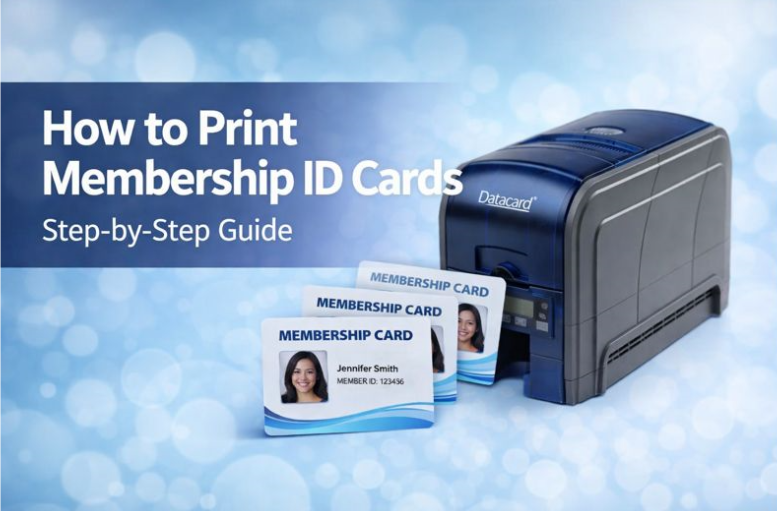
Membership ID cards are rarely a planned project. One day, everything’s running fine, and the next, you’re asked to organise cards for new members, replace worn-out ones, or bring the process in-house. Suddenly, you’re staring at printers, software, ribbons, and specs you didn’t sign up to learn. If you’re feeling unsure where to start, overwhelmed by technical terms, or worried about choosing the wrong equipment, you’re not alone. This task often lands on operations and admin teams with little warning and under a lot of pressure to get it right.
The good news? You don’t need to be a technical expert to do this well. Printing membership ID cards is a straightforward process when it’s broken into clear, manageable steps. This guide walks you through what actually matters, using plain-English explanations and real-world examples, so you can move forward with confidence. Let’s start by breaking down what you need before you print your first card.
1. Understand What You Actually Need to Print
The most common mistake is jumping straight into shopping for printers. When you do that, everything starts to blur together. Every option sounds similar, every spec feels important, and it’s easy to assume all membership cards and printers work the same way. That’s when uncertainty creeps in, followed by decision fatigue that kicks hard.
Before looking at any hardware, pause and clarify what you’re actually printing. Think about the card itself first. Will it be a standard PVC card that needs to last years, or something lighter for short-term use? Consider whether you’re printing colour or just black text, single-sided or double-sided, and how often cards will be issued. At this stage, brands, advanced specs, and marketing claims don’t matter yet.
Once those basics are clear, everything else becomes easier. You stop overbuying features you’ll never use and avoid choosing a printer that can’t keep up with real demand. More importantly, you now have a simple framework to guide every decision that follows.
2. Choose the Right Type of Membership Card Printer
Membership card printers can sound intimidating fast. Dye-sublimation, retransfer, ribbons, resolutions can feel like a lot to take in, especially when you just want something that works. As a result, many people struggle to compare models because they don’t know which differences actually matter.
The simplest way to cut through the noise is to focus on usage rather than features. Entry-level printers are designed for smaller teams printing cards occasionally. Higher-volume printers are built for frequent use, faster output, and consistent quality under pressure. Advanced features only matter when your printing volume or durability requirements call for them.
When you choose based on how you’ll use the printer day to day, the decision feels far less risky. You’re no longer guessing. You’re matching a tool to a task, which builds confidence without needing technical expertise.
3. Set Up Your Printer and Software Without Stress
If you’ve ever dealt with office equipment that promised to be “plug and play” but wasn’t, it’s natural to feel cautious. Many managers worry setup will take hours, require IT support, or disrupt daily operations more than expected.
In reality, modern membership card printers are designed for non-technical users. Setup typically involves installing drivers, opening basic card design software, and connecting the printer to your workstation. Most systems guide you through each step clearly, with prompts that make sense.
Once everything is installed, the process feels predictable rather than stressful. You know where files live, how the printer responds, and what to do if something needs adjusting. That familiarity removes anxiety and keeps card production running smoothly.
4. Design and Print Professional-Looking Membership Cards
A common concern is that in-house cards won’t look professional. Without a clear design approach, it’s easy to worry about alignment, photo quality, or whether the final result will feel cheap.
Professional cards rely on simplicity. Clear names, readable ID numbers, a logo placed with intention, and an expiry date positioned where it’s easy to spot all contribute to a clean result. Good layout isn’t about decoration; it’s about clarity. Test prints play a big role here, letting you check colours, spacing, and durability before issuing cards widely.
Once you’ve locked in a clean design, confidence follows quickly. You can issue cards knowing they’ll look consistent, wear well, and reflect your organisation properly.
5. Avoid Common Mistakes That Cause Rework and Delays
Small oversights can cause big headaches later. Choosing the wrong ribbon, using unsuitable card stock, or skipping test prints often leads to wasted cards and unnecessary rework. These issues usually don’t appear until cards are already in circulation.
The best prevention is slowing down just enough to check compatibility and limits before printing in bulk. Confirm supplies match your printer, respect recommended print volumes, and test early. A few minutes upfront saves hours later.
With these checks in place, card issuance becomes routine instead of reactive. Fewer interruptions. Fewer replacements. Much less frustration.
Print Membership Cards With Confidence
Printing membership ID cards doesn’t need to be complicated. When you understand your requirements, choose a printer that fits your real-world use, and follow a clear process, everything clicks into place. Forward-thinking organisations work with Identity People to select reliable membership card printers and get practical guidance without guesswork. Follow this approach, and you’ll have a smooth, professional system you can rely on long term.


What Is Maxim88 Singapore? Complete Brand Overview (2026)

Direct Baccarat Website – Discover Modern Baccarat Gameplay Options

The multi-generational holiday test: what has to be true for everyone to enjoy it

International Schools in Portugal: A Guide for Families

7 Warning Signs Your Home’s Sewer Line Needs Attention

Why Custom T-Shirts Are the Smartest Brand Investment You Can Make

Preparing a New Development for Its First Occupants: The Final Steps Before Handover

Safer Aging at Home: A Daily Plan for Mobility, Fall Prevention, and Peace of Mind

Brahim Díaz – A Journey Of Remarkable Growth In 2026

BPC-157 UK: A Research-Focused Guide to the Experimental Peptide

Earrings for Men: The Complete Style Guide to Wearing Studs and Hoops in 2026

What to Know About Drunk Driving Accident Claims in McAllen

The Difference Between a Soft Floral and a Fresh Floral Fragrance

74.1 Million Americans Speak a Language Other Than English at Home, New Analysis Finds
Safer Aging at Home: A Daily Plan for Mobility, Fall Prevention, and Peace of Mind

The Hidden Economics Behind Profitable Commercial Cleaning Startups


Don Toliver Net Worth: Height, Age, Real Name, Career & More
Don Toliver is an American rapper and singer best known for his RIAA platinum certified songs, No Idea and After...


Finesse2tymes Net Worth: Height, Age, Real Name & Career
Finesse2tymes is an American rapper and recording artist. He is mainly recognized for his thunderous voice and motivational lyrics in...


Sugarhill Ddot Net Worth: Height, Age, Real Name & Career
Sugarhill Ddot is an American hip-hop recording artist best known for his songs, Real Facts and I Wanna Love You....


GloRilla Net Worth: Height, Age, Bio, Real Name & Career
GloRilla is an American rapper and hip-hop recording artist from Memphis. She is best known for her popular singles, “Westside...


Destroy Lonely Net Worth: Height, Age, Real Name & Career
Destroy Lonely is an American rapper best known for his 2022 mixtape, No Stylist. He is currently signed to rapper...
-
Rappers2 years ago
GloRilla Net Worth: Height, Age, Bio, Real Name & Career
-

 News2 years ago
Trash To Treasure: Maximizing Space And Efficiency Through Junk Removal
-

 Businessman3 years ago
7 Proven Lead Generation Strategies To Implement in 2023
-
 Businessman2 years ago
Brandon Fugal Net Worth: How Rich is Skinwalker Ranch Owner?
-

 Rappers3 years ago
BigXthaPlug Net Worth: Height, Age, Real Name & Career
-

 TV Stars2 years ago
Kaleb Cooper Net Worth: How Rich is the TV Star Actually?
-

 Internet Stars4 years ago
Mufti Menk Net Worth: How Rich is the Islamic Speaker Actually?
-

 TV Stars2 years ago
Carla Diab Net Worth: How Rich is the TV Star Actually in 2025?
You must be logged in to post a comment Login