
News
Is 5G Home Internet Right for Your Household? What to Consider Before Switching

Switching home internet providers can feel like a bigger task than it should. Between comparing prices, checking coverage, and understanding equipment requirements, it is easy to stay with a plan that no longer suits you.
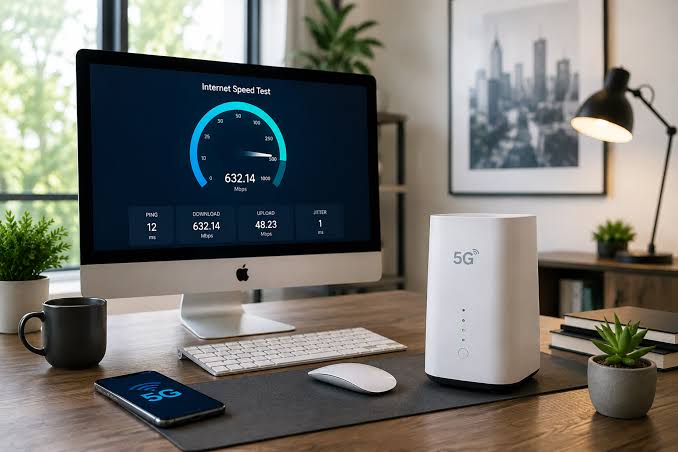
5G home internet gives households another option to investigate. It delivers an internet connection through a wireless cellular network rather than a cable or fiber line running into the property.
But whether it makes sense for your home depends on more than an attractive monthly price. Availability, everyday performance, and your household’s online habits all deserve attention before you switch.
What Is 5G Home Internet?
5G home internet is a form of fixed wireless broadband. A home gateway receives a signal from a provider’s cellular network and connects your household devices through Wi-Fi or Ethernet.
Verizon describes its 5G Home Internet service as bringing its wireless 5G network into the home where available. It is a different connection type from Verizon Fios, which uses fiber-optic infrastructure.
Is 5G Home Internet the Same as a Phone Hotspot?
Both use cellular connectivity, but they serve different purposes. A phone hotspot shares your mobile device’s connection, while home internet uses dedicated equipment and a residential service plan.
Check the home internet plan’s own terms. Your mobile plan’s allowance, pricing, and conditions do not automatically apply to a separate home connection.
Check Availability Before Comparing Plans
Start with your complete street address and apartment number. Seeing a mobile coverage indicator on your phone does not establish that a provider will accept a home internet order at your property.
Verizon asks customers to check their address to see which home internet services and offers are available.
You can also explore Verizon internet offers when building your shortlist. Confirm the connection type attached to each available option, then review the final quote before ordering.
Avoid assuming that a neighbor’s plan will be available on identical terms. Your own address check and order confirmation should guide the decision.
Match the Connection to Your Household’s Needs
A household that mainly browses and streams has different priorities from one with several remote workers, frequent video uploads, and competitive gamers.
List the activities happening during your busiest hour. That gives you a more useful starting point than counting connected devices alone.
Consider Download and Upload Performance
Download speed matters when streaming, installing games, or receiving large files. Upload speed matters when sending videos, backing up documents, and sharing files for work.
Check the expected performance information for the specific plan. If you regularly upload large projects, give that requirement as much attention as download speed.
Assess Responsiveness and Consistency
For video meetings and online gaming, consider how reliably the connection handles your usual activities.
If you can evaluate the service before fully switching, try it during working hours and busy evenings. Run your normal applications, join calls, and check performance in the rooms where you actually use the internet.
Plan Where the Gateway Will Go
Equipment placement deserves consideration before you order. Think about where the gateway can receive a suitable signal and how Wi-Fi will reach the rest of your home.
Follow the provider’s setup instructions for your specific equipment rather than hiding the gateway wherever it looks tidiest.
Separate Internet Performance From Wi-Fi Coverage
A weak connection in one room may involve your home’s Wi-Fi coverage rather than the internet service itself.
Where supported, compare a wired Ethernet connection with Wi-Fi. This can help you investigate whether a problem affects the incoming service or mainly the wireless connection inside your home.
If you have multiple floors or distant rooms, ask about compatible coverage options and any additional costs before purchasing equipment.
Compare the Full Cost of Switching
Start with the monthly service charge, then check every condition attached to it.
Ask:
- How long does the quoted price apply?
- Does it require an eligible mobile plan?
- Are automatic payments required?
- Is equipment included?
- Are there setup or activation charges?
- What happens if I cancel a related service?
Treat promotional rewards separately from recurring savings. A gift or account credit may have value, but the ongoing bill should still fit your budget.
Also review your existing provider’s cancellation and equipment return requirements. Include any confirmed switching costs when comparing the first year of service.
Understand 5G Home Internet vs. Fios
Verizon’s home internet options do not all use the same technology. Fios uses a wired fiber-optic connection, while 5G Home Internet uses wireless cellular connectivity. Availability determines which services you can consider.
If fiber is available, compare its quoted download and upload performance, total cost, and installation requirements with your other options.
If 5G home internet is available, assess the plan against your household’s actual needs and the equipment setup at your property. Choose based on the service you can order, rather than assuming every Verizon internet offer delivers the same experience.
Prepare Before Canceling Your Existing Service
Arrange activation and check the new connection before ending your existing service where practical. A short overlap can give you time to confirm that work calls, streaming, and essential devices function as expected.
Ask about any evaluation period, cancellation deadline, refund conditions, and equipment return instructions before ordering. Keep written confirmations and return receipts.
Switching is easier when you know both how to start the new service and how to close the old account.
FAQs About 5G Home Internet
Can 5G home internet replace cable internet?
It may suit your household if it is available and meets your performance needs. Compare pricing, expected speeds, and everyday usability before switching.
Do I need a 5G phone to use 5G home internet?
Your household devices connect through the home gateway, usually using Wi-Fi or Ethernet. They do not each need their own cellular 5G connection.
Is Verizon 5G Home Internet the same as Fios?
No. Verizon 5G Home Internet uses wireless cellular connectivity, while Fios uses a fiber-optic connection. Confirm which service is available at your address.
Is 5G home internet suitable for remote work?
Assess it against your work requirements, including video calls, uploads, and any employer systems. Test your normal workload before relying on it as your only connection.
What should I check before switching?
Confirm address eligibility, expected performance, total pricing, equipment requirements, and cancellation terms. Review your current provider’s account closure and equipment return process as well.


How Online Gaming Combines Humour, Imagination, and Interactive Design

Is 5G Home Internet Right for Your Household? What to Consider Before Switching

Sample Orders: The Cheapest Insurance a Jewelry Retailer Can Buy

I Tested Online Casino Games for 6 Months and Here’s What Actually Happened

Why Mobile App Testing Needs to Go Beyond Basic Test Automation

10 Creative Ways to Keep Wedding Guests Entertained

Essential Gear for Enjoying Outdoor Sports and Recreation

Slot Gacor Trends and Online Gaming Communities

Best Boneless Sofas 2026: Cloud Comfort & No-Assembly Picks

Suncoast, Sun City & Montecasino: SA's Big Casinos vs Playing Online (2026)

What Happens After an Arrest? A Guide from Criminal Lawyers in Bankstown

Subscription fatigue: a simple review and PennyGuard

The Mental Game in Cricket: Key Strategies for Maintaining Focus and High Performance Under Pressure

Walking the Legal End of the Estate Executor Journey in Queensland

A Look at the Future of Community-Based Gaming

Your Home is Not Cash: How to Find Your Real Walk-away Net Worth


Don Toliver Net Worth: Height, Age, Real Name, Career & More
Don Toliver is an American rapper and singer best known for his RIAA platinum certified songs, No Idea and After...


Finesse2tymes Net Worth: Height, Age, Real Name & Career
Finesse2tymes is an American rapper and recording artist. He is mainly recognized for his thunderous voice and motivational lyrics in...


Sugarhill Ddot Net Worth: Height, Age, Real Name & Career
Sugarhill Ddot is an American hip-hop recording artist best known for his songs, Real Facts and I Wanna Love You....


GloRilla Net Worth: Height, Age, Bio, Real Name & Career
GloRilla is an American rapper and hip-hop recording artist from Memphis. She is best known for her popular singles, “Westside...


Destroy Lonely Net Worth: Height, Age, Real Name & Career
Destroy Lonely is an American rapper best known for his 2022 mixtape, No Stylist. He is currently signed to rapper...
-
Rappers2 years ago
GloRilla Net Worth: Height, Age, Bio, Real Name & Career
-

 News3 years ago
Trash To Treasure: Maximizing Space And Efficiency Through Junk Removal
-

 Businessman3 years ago
7 Proven Lead Generation Strategies To Implement in 2023
-
 Businessman2 years ago
Brandon Fugal Net Worth: How Rich is Skinwalker Ranch Owner?
-

 Rappers4 years ago
BigXthaPlug Net Worth: Height, Age, Real Name & Career
-

 TV Stars2 years ago
Kaleb Cooper Net Worth: How Rich is the TV Star Actually?
-

 Internet Stars4 years ago
Mufti Menk Net Worth: How Rich is the Islamic Speaker Actually?
-

 TV Stars2 years ago
Carla Diab Net Worth: How Rich is the TV Star Actually in 2025?
You must be logged in to post a comment Login